
Executive overview
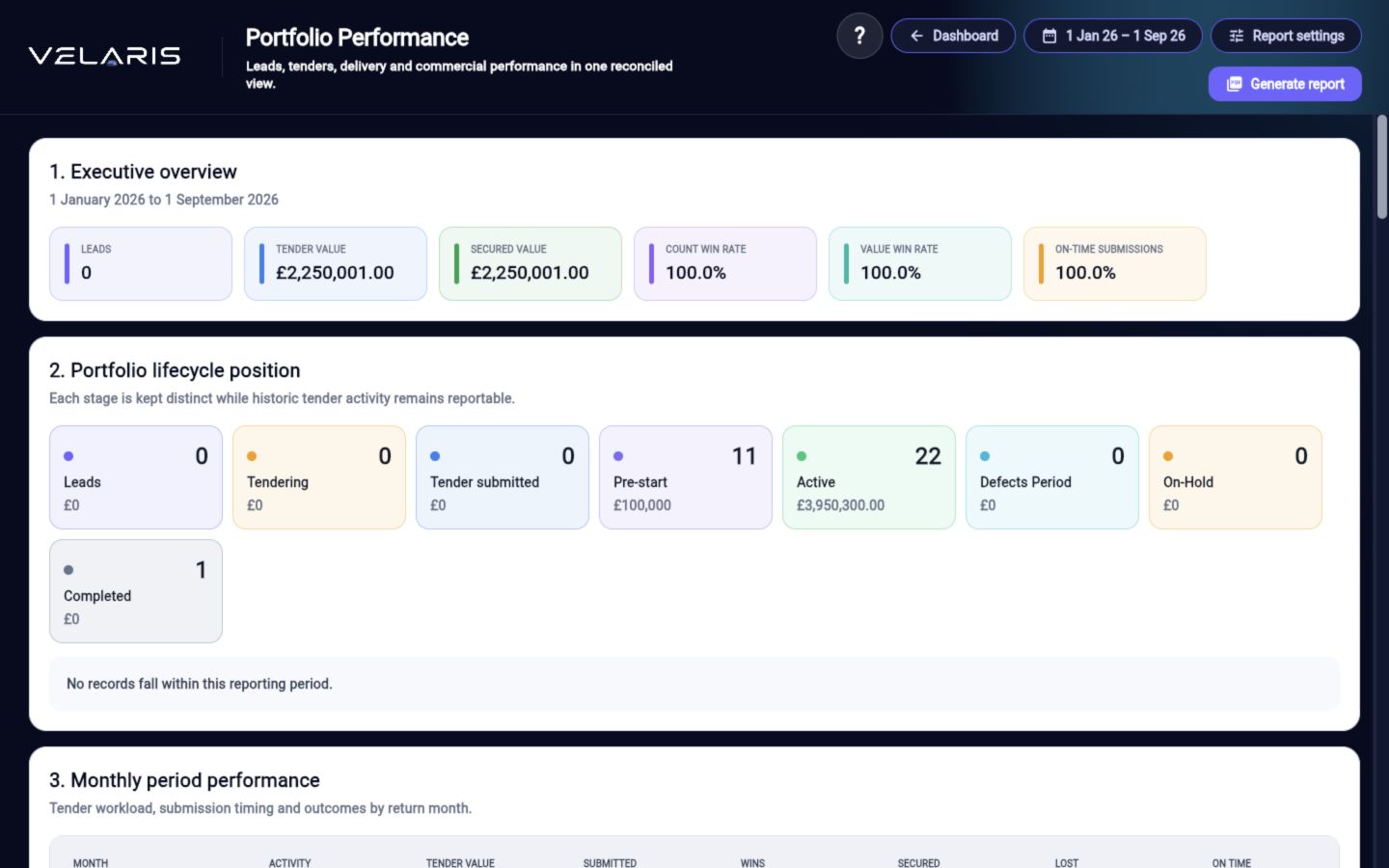
Review Leads, Tendering, Tender Submitted, Pre-Start, Active, Defects and Completed work across the selected period.
Velaris Portfolio Performance
Choose the exact reporting period and turn manual lead, tender, project and commercial data into one consistent leadership view across the existing Velaris lifecycle.
Management information
The main dashboard keeps a concise portfolio snapshot. The dedicated workspace uses the same underlying lead, tender, project and commercial records.
Review Leads, Tendering, Tender Submitted, Pre-Start, Active, Defects and Completed work across the selected period.
Understand where opportunity count, value, wins and secured work are concentrated.
See planned versus actual progress, slippage, handovers and the projects behind portfolio movement.
Connect authorised value, approved changes, forecast revenue and forecast profit to source projects.
Set turnover, gross margin, gross profit and annual tender requirements with monthly phasing.
Compare monthly tender targets with actual performance and cumulative variance.
Exact period control
Select a financial year, quarter or custom period. Velaris apportions project and commercial values by the days that fall inside the chosen range, preserving clear report logic.
Review the live position, reporting-period performance and business-plan variance without rebuilding management spreadsheets.